Claude MCP integration

Build workouts
in Claude. Run in Pacelab.

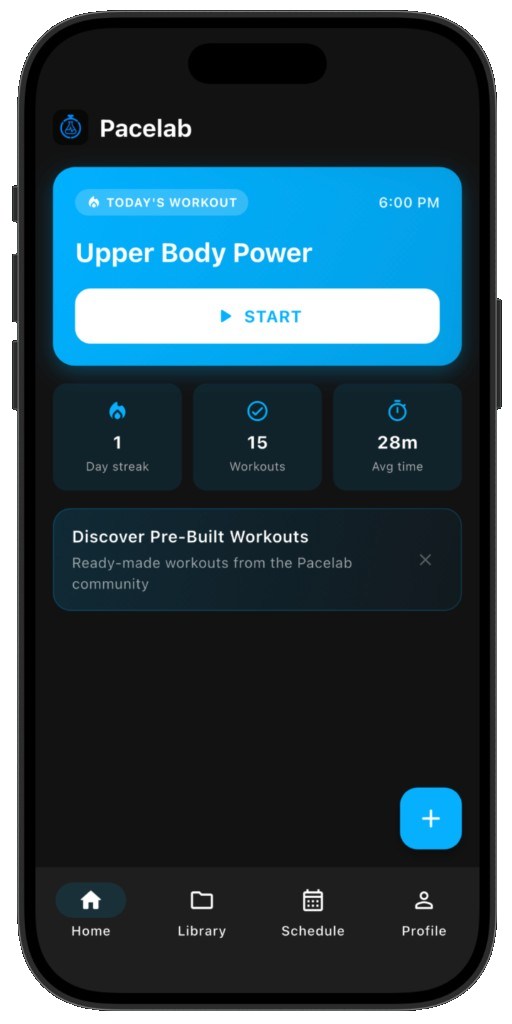
Connect Claude Desktop to the Pacelab MCP server. Ask Claude for any workout — it's saved to your library and opens in the app with one tap.

  • Free Pacelab app
  • Claude Desktop + Node.js
Workout generated in Claude opening in Pacelab

Requirements

Before you start

Setup

Three steps. About a minute.

  1. 1

    Open Claude Desktop config

    Settings → Developer → Edit Config.

  2. 2

    Add the pacelab-workout-creator entry

    {
      "mcpServers": {
        "pacelab-workout-creator": {
          "command": "npx",
          "args": ["-y", "mcp-remote", "https://pacelabintervals.com/mcp"]
        }
      }
    }
  3. 3

    Save & restart Claude

    Fully quit Claude Desktop (⌘Q on Mac, right-click → Quit on Windows), then reopen it.

Try these prompts

What you can ask Claude

"Create a 20-minute HIIT workout, bodyweight only."
"Build me a kettlebell strength circuit, 5 rounds."
"Make an EMOM with 3 exercises over 12 minutes."

Claude returns a share link — tap it on your phone to open the workout in Pacelab.

Get Pacelab Intervals

Free on iOS and Android. Install once — share links open in one tap.

FAQ

What is MCP?
Model Context Protocol — an open standard Anthropic published for connecting Claude to external tools. Pacelab provides a public MCP server so Claude can build workouts directly into your library.
Why do I need Node.js?
mcp-remote is a small Node tool that bridges Claude Desktop to the remote MCP server. Install Node.js from nodejs.org if you don't have it.
Prefer ChatGPT?
See ChatGPT integration.